Hatch Restore 3 Review 2026: Sunrise Alarm + Sound Machine Tested
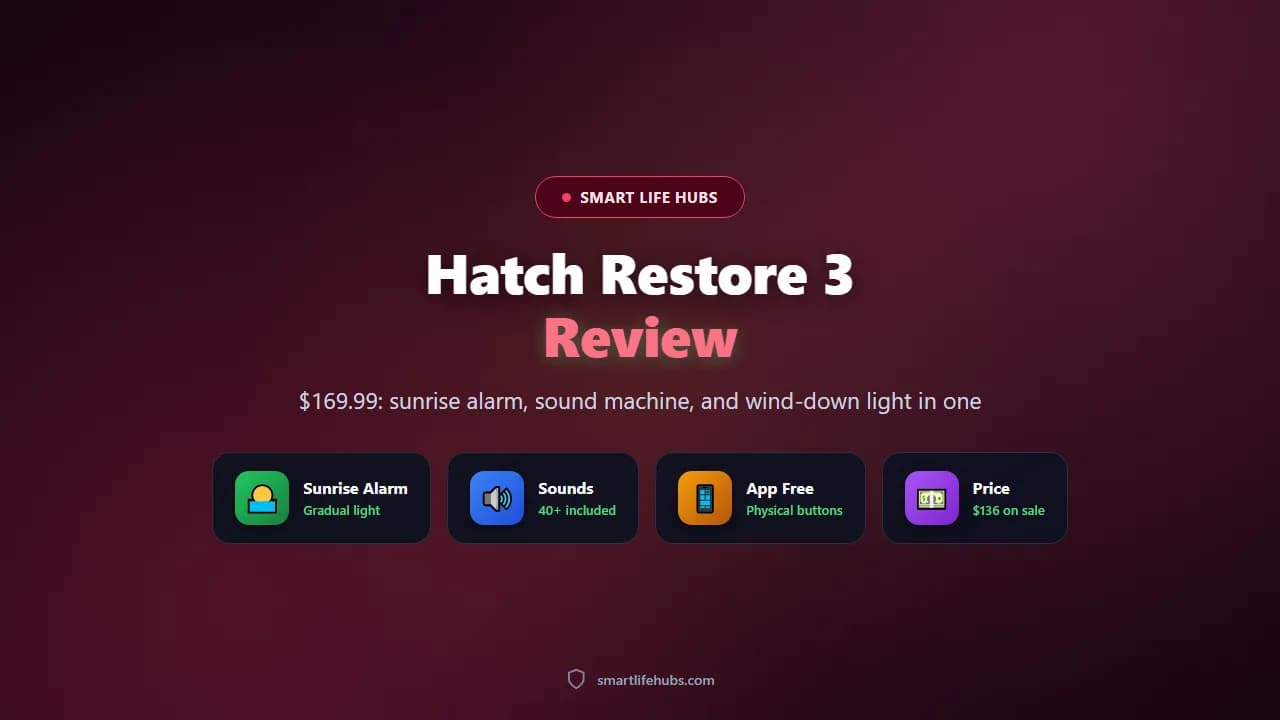
The Hatch Restore 3 is a bedside device that combines a sunrise alarm, a sound machine, and a dimmable wind-down light in one fabric-fronted unit. It costs $169.99, frequently sells for $136, and is designed to keep your phone out of the bedtime routine. It does not track sleep, and it does not need a subscription to work: you get more than 40 sleep sounds, over 20 alarm sounds, and a set of lighting options included, with an optional Hatch+ membership at $4.99 a month or $49.99 a year for the expanded library.
The Restore 3 is the third generation, and the changes over the Restore 2 are mostly about control. There are now three buttons on top, including a new Big Button that starts your bedtime routine, switches between the Unwind and Sleep portions, and doubles as a snooze and a volume dial. A button on the right side turns the light on, and a switch on the left disables your alarms. The point of all this is that you can run the device without opening the app, which is the whole idea of a screen-free wind-down.
I pulled Hatch’s specifications, Wareable’s and T3’s reviews, and the Strategist’s long-term testing. Where a figure is a claim rather than a measurement, I say so. Prices are as of November 2026.
At a glance
| Spec | Detail |
|---|---|
| Price | $169.99, frequently $136 on sale |
| Size and weight | 7.24 by 2.43 by 5.31 inches, 1.27 pounds |
| Included content | 40+ sleep sounds, 20+ alarm sounds, 20+ lighting options |
| Subscription | Hatch+ $4.99 a month or $49.99 a year, optional |
| Controls | Three top buttons plus dial, side light button, alarm toggle |
| Sleep tracking | None |
| Connectivity | Wi-Fi required for setup and app features |
| Trial and warranty | 30-night bedside trial, 1-year limited warranty |
Design and daily use
The Restore 3 is a semi-circular block with a textured fabric front that diffuses the light, so it reads as a glow rather than a lamp. It measures 7.24 inches long, 2.43 inches wide, and 5.31 inches tall, weighs 1.27 pounds, and comes in putty, greige, or cocoa. It takes up little room on a nightstand and looks like a piece of furniture rather than a gadget, which is most of the appeal.
The controls are the best improvement over the previous model. The Big Button on top starts your bedtime routine, a second press moves from Unwind to Sleep, and during an alarm it works as a snooze, while twisting it adjusts the volume. The side button toggles the light and the left switch turns your alarms off entirely, so you do not have to hunt for your phone at 6am. Everything can be set up in the app once and then left alone.
The light is the reason to buy it. You pick a colour and it brightens gradually before your alarm, and Hatch lets you choose when the sunrise starts, which matters if you are sensitive to light. The front fabric spreads the glow evenly, and the effect is closer to dawn than to a lamp switching on. For winding down, there are sunset-style gradients and preset scenes such as Nature Walk and Marine Moonlight, and Hatch suggests a lighting pairing for particular sounds.
The alarm toggle on the left side is a small detail that matters more than it sounds. A physical switch that disables every alarm at once is the kind of thing you use on a Sunday morning, and it means you do not have to open the app or remember which schedule you set. Combined with the snooze dial, it makes the Restore 3 behave like a proper clock rather than a smart device that needs an app for everything.
Tuning the sunrise for your room
The sunrise is only useful if it reaches your face at the right speed, so the two settings worth changing are the start time and the brightness. Set the light to begin well before the alarm and keep the brightness moderate if you wake gradually; start earlier and let it climb higher if you sleep deeply or the room has heavy curtains. Hatch suggests lighting pairings for particular sounds, but the practical test is simpler: run the same scene for three mornings and adjust by feel. A light that is too dim will not wake you, and one that jumps to full brightness too fast can make the alarm feel harsh, which defeats the purpose of a gradual start.
A nightly routine that uses the hardware
The Restore 3 makes most sense when the app does the setup and the buttons do the rest. Pick a light and a sound, set the alarm, and press the Big Button when you get into bed; a second press moves from Unwind to Sleep, and twisting the same button adjusts the volume without opening the app. The side button handles the light if you want it off early, and the left switch disables every alarm when you do not want to wake at the usual time. Once those habits are set, the device stops feeling like another app and starts behaving like a clock.
Sound, routines, and the subscription
Without a subscription you get more than 40 sleep sounds and over 20 alarm sounds, which is enough for most people. The sleep sounds include rain, ocean, wind, and white noise, and you can set them to play for a fixed period or all night like a conventional sound machine. The alarm sounds are gentler than a phone buzzer, and you can pair them with the sunrise light so the sound arrives after you have already begun to wake.
Hatch+ adds over 100 sounds, sleep stories, mini-podcasts, guided meditations, and the ability to build routines with up to ten steps, for $4.99 a month or $49.99 a year. A 30-day trial is included and can be cancelled. The honest reading is that the free tier covers the core use case well, and the subscription is worth it only if you want narrated content and long routines. Several reviewers note that some of the best alarm sounds sit behind the paywall, which is annoying on a $169 device.
The Unwind routine is the feature that changes behaviour. It can play a mini-podcast or a guided meditation, dim the light on a schedule, and then hand over to the Sleep portion with a sound of your choice. Because it is triggered by a physical button rather than an app, it is easy to actually do every night, and that consistency is where the benefit comes from.
The speaker is adequate rather than impressive. It fills a bedroom with rain or white noise at a comfortable level and it is fine for a sleep story, but it is not a hi-fi and it does not need to be. The volume range is wide enough that you can run it as a gentle background or loud enough to mask a noisy street, and the alarm sounds are tuned to be non-jarring, which is the point. If you want richer sound for music, use a proper speaker, because that is not what this device is for.
Free content versus Hatch+
The annual plan is the better value if you are sure you want the extras: $4.99 a month comes to $59.88 over 12 months, while the annual plan is $49.99, so you save about $10 by paying yearly. The 30-day trial is the cleanest way to sample sleep stories and the longer routines, and it can be cancelled. The honest calculation is whether you will use narrated content every week. If you mostly want rain and a sunrise, the free library is enough.
Speaker placement
Because the fabric front handles both light and sound, do not push the unit against a wall or tuck it under a shelf. Leave the front clear so the sound spreads across the room, and put it on a stable surface where the sunrise can reach your face. The speaker is built for a bedroom rather than a living room, so judge it at nightstand distance rather than across the space.
Performance and the competition
Reviewers who used the Restore 3 as their morning alarm report waking more naturally and not sleeping through it, with the light reaching full brightness before the sound plays. T3 found the gradual brightening effective and the wake-up accurate, and Wareable’s Restore 3 review reached the same conclusion while flagging the price and the app. The light is strong enough to wake a light sleeper on its own, and the sound is a back-up rather than the main event.
It is worth being clear about what the Restore 3 is not. It has no sleep tracking, no sensors, and no heart rate or HRV data, so it cannot tell you how you slept. If you want tracking, you need a wearable or a dedicated device. It also requires Wi-Fi for setup and app features, and the app has been described as glitchy and busier than it needs to be, which is the most common criticism across reviews.
Against the alternatives, the Restore 3 sits at the top of the mainstream sunrise alarm market. Cheaper clocks such as the $30 to $60 models from Amazon brands offer a sunrise light and a few sounds but lack the build, the lighting range, and the physical controls. The Hatch Sleep Clock at $249 adds sleep tracking if you want it. And a $50 diffuser plus a phone alarm will not replicate the wind-down routine at all. For a phone-free bedtime habit, the Restore 3 is the pick.
Care, placement, and common mistakes
Placement and cleaning
The Restore 3 is a fabric-fronted box that sits in the open, so placement matters more than it does for a plastic alarm clock. Leave the fabric front clear rather than pushing it against a wall or tucking it under a shelf, because the front spreads both the light and the sound. Put it on a stable surface where the sunrise can reach your face, and keep it out of direct sun so the morning light is easier to judge. Dust the fabric with a dry cloth and wipe the top buttons with a slightly damp one; do not use harsh cleaners on the fabric, and keep the unit away from water.
Mistakes that spoil the routine
Leaving the default brightness and start time alone is the most common mistake. The device is built around a gradual sunrise, so a setting that is too dim or too short will feel like a failed alarm rather than a gentle one. Burying the fabric front against a wall or a headboard dulls the light and muffles the speaker. Relying on the app for alarms and volume misses the point, because the Big Button and the dial are faster and keep your phone out of the room. Ignoring the left switch on a weekend or a holiday is a missed shortcut. And do not expect sleep data: there are no sensors, so pair it with a wearable if you want to know how you slept.
Is the Hatch Restore 3 worth $169.99?
Buy it for the routine, not the specs. The Restore 3 does not measure anything. Its value is that it gives you a repeatable, screen-free way to wind down and wake up, and the hardware and lighting are good enough that you will actually use it.
Wait for a sale. It regularly drops to $136, which is a much easier decision than $169.99. Hatch and Amazon both run 20 percent promotions several times a year.
Skip Hatch+ at first. The included 40 sleep sounds and 20 alarm sounds are enough to judge whether the routine works for you. Add the subscription later if you want sleep stories and longer routines.
Check the light sensitivity settings. You can choose when the sunrise begins and how bright it gets, so tune it for your room and your sleep depth rather than leaving the defaults.
Use the physical controls. The whole point is to avoid your phone, so set the routines in the app once and then run everything from the buttons and the dial.
Do not buy it for data. If you want to know how you slept, pair it with a wearable or look at a tracker. Our sleep gadget roundup covers tracking options, and the Kimba sleep system review covers a more experimental scent-based approach.
Frequently asked questions
Frequently Asked Questions
6It is $169.99 directly from Hatch and frequently sells for around $136 on promotion. A 30-day trial of Hatch+ is included, and the device has a 30-night bedside trial and a one-year warranty.
No. The Restore 3 works as a sunrise alarm, sound machine, and light without a subscription, with more than 40 sleep sounds, over 20 alarm sounds, and 20-plus lighting options included. Hatch+ adds over 100 sounds, sleep stories, and meditations for $4.99 a month or $49.99 a year.
No. It has no sensors and does not measure sleep, heart rate, or HRV. It is a routine and alarm device, not a tracker.
You need the app and Wi-Fi for setup and customisation, but day to day you can run routines, adjust volume, toggle the light, and turn off alarms from the physical buttons and dial.
Putty, greige, and cocoa. There are colour options rather than size tiers, and all three cost the same.
Yes, if you want a screen-free wind-down and a gentler wake-up and you will use it nightly. It is less compelling if you only want an alarm, because a $30 clock does that, and it is not the right buy if you want sleep data.
The bottom line
The Hatch Restore 3 is the best mainstream sunrise alarm and sound machine, and it earns its $169.99 price through the routine rather than the specifications. You get a well-built fabric-fronted unit, a genuinely gradual sunrise light, more than 40 sleep sounds and 20 alarm sounds without a subscription, and physical controls that let you run the whole thing without your phone. The weaknesses are the glitchy app, the paywalled best sounds, and the fact that it tracks nothing. Buy it on sale for $136, skip Hatch+ until you have used the free content, and use it every night for a month before you judge it. If you want data, pair it with a wearable. Have you tried a sunrise alarm? Tell us in the comments.